Psychology, Tech

An Object Choice

NYC - MoMA: Philip Johnson Architecture and De...

NYC – MoMA: Philip Johnson Architecture and Design Galleries – Digital Compact Disc (Photo credit: wallyg)

I have always generally stuck to buying CDs for music except for some recent digital download-only EPs and singles but the other day I was made to wonder why.

I’d been looking at an album that was available as a normal version and a deluxe version.  The deluxe had just three more songs but cost £17 as opposed to the normal version that had dropped to £5.  I thought I’d just go without the extra tracks and bought the £5 one.  All fine except that I’d noticed that there was a link to “download the MP3 version for £4.99” on the deluxe edition yet I’d still bought the physical CD of the normal version for 1p more.  At first I was fine with this but then began to feel confused, I felt a bit daft for buying the CD when by downloading I could have had more for the same money – was the plastic and paper really worth it?

I could have cancelled the CD, downloaded the MP3 but I still didn’t.  I’m still at the stage where I only feel that I have a copy of the music (or book) that I can keep forever if I have a physical copy – for me it’s not even about the cover artwork or the booklet as I hardly ever look at these.  But this experience, the doubt, showed me that even I’m accepting that the future of media is becoming more digital, increasingly virtual, that with digital booklets having the actual CD is less important than the music itself.

In many ways it’s better this way, content you effectively license can be accessed anywhere you can log into your account, a copy can be downloaded to your computer if necessary and even burned onto an old-fashioned disk.  Should the worst happen you don’t lose your collection.  It’s also more convenient to buy and store.

I’m still not so sold on ebooks though, I still like a paper book I can safely read in the bath but I suppose it’s only a matter of time before the waterproof Kindle Touch.

And as for my MP3 quandary, it turned out that the download wasn’t even the deluxe version after all so the decision was entirely virtual, ironically.

Standard
Architecture, Tech

Give Me Shelter

Afghan Former Refugees at UNHCR Returnee Camp

Afghan Former Refugees at UNHCR Returnee Camp (Photo credit: United Nations Photo)

Refugees the world over being looked after by the United Nations currently only have basic tents to call home, often for years, and these structures that provide little protection from cold and heat and it’s for this reason the UNHCR (UN High Commission for Refugees) has recruited our favourite flatpack furniture maker to bring things into the 21st century.

The Ikea Foundation’s designers have come up with a framework which is covered by lightweight insulated panels which reflect daytime sunlight and retain heat at night.  They can be put up in a matter of hours and last up to three years.

The shelters are to be tested in Ethiopia next month and the UNHCR is looking to incorporate solar-charged lighting in the design.

Click through to Gizmodo UK for pictures of the shelter.

[Ikea via Gizmodo UK and Fast Company]

Standard
Business, Marketing, Tech, Uncategorized

Ad-Free or Not Ad-Free, That is The Question

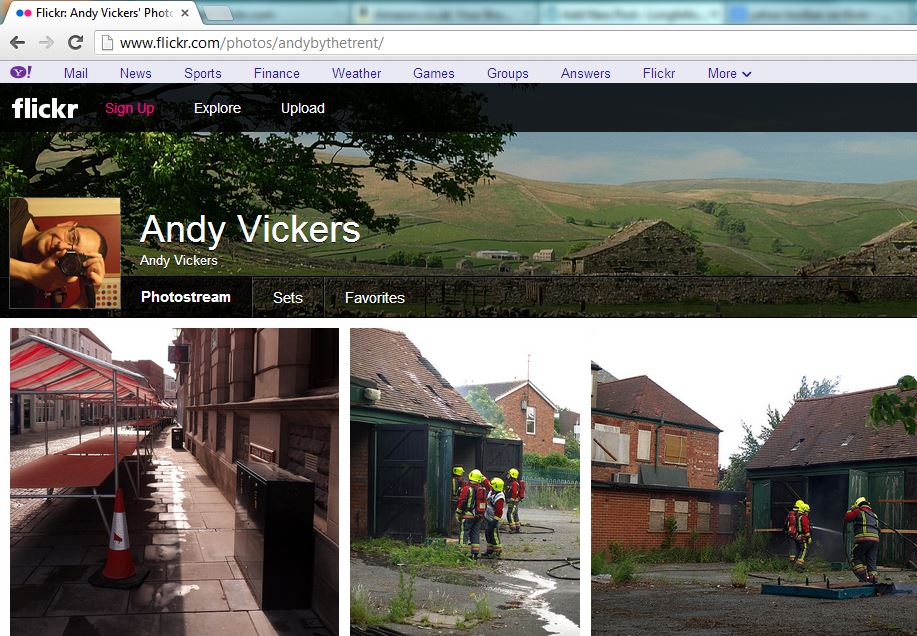
Yahoo Bar on Flickr

Yahoo Bar on Flickr

The home of my other creative endeavour is over at Flickr, a site that many say has been left to stagnate under the ownership of Yahoo mainly because it didn’t become the kind of social network that Facebook is.  The thing is that it started out as a photo sharing site and it still is, the recent makeover improved how your photostream was presented to viewers and in general it was still doing its job as an online portfolio of photos.

Today though something odd has happened and the Flickr community as a whole is not happy.  Me included.  The facelifted interface had a nice grey toolbar across the top, it was all very clean and modern looking, very professional, but today something else appeared, a lilac bar – referred to now by forum members as the Y! Barney Bar – displaying links to other Yahoo sites and services.

As many commenters have said it looks like something from a nineties website, wedged between your browser’s chrome and the elegant Flickr interface, a distracting layer of pink nougat taking up screen space and cheapening the experience for your viewers.  The thing that has annoyed most people though is that many of us pay to have an ad-free interface both for our own use and for those viewing our photos but this amounts to an advert for Yahoo’s services, driving viewers to the ad-land that is Yahoo’s main site, to gather more revenue.  Yahoo staff have said that “The idea is to make it easier to access other places in the Yahoo! network and make visiting Yahoo! pages a more seamless experience.” and that it brings your photos to a wider audience.  If that’s the case add another menu item to Flickr’s own toolbar not this monstrosity.

Many users have pledged to leave altogether if it’s not removed immediately but most think it’s unlikely because Yahoo are copying Google’s trend of having the toolbar at the top of everything, but at least Google’s bar fits in.  What you’re paying for on any site like Flickr or our home here at WordPress is the avoidance of your content being juxtaposed with adverts which may detract from what you’re trying to say or the aesthetics of your site, to make it feel like your own space not part of a larger corporate behemoth, that is what the Yahoo bar makes Flickr feel like – just a part of a search engine and internet portal, it takes the shine off the presentation, makes it feel less special.

Some commenters have said that at least this hasn’t happened to the sites of our blogging brethren over on Tumblr – but as Yahoo haven’t had much time with its new purchase as yet perhaps it’s only a matter of time.

[Flickr Forums]

Standard
Tech, Uncategorized

Tracing Lost Tech

MSI laptop computer

MSI laptop computer (Photo credit: Wikipedia)

We’ve had the ability to track, locate and remotely disable stolen cars and vans for a while but attaching the tracker to your laptop just wasn’t practical but now, thanks to our increasingly connected world it’s becoming possible.

Today it’s inevitable that, unless it’s stripped down for parts, a smartphone, tablet or laptop will connect to the internet somehow and it’s then that modern tech can call home for help.  Smartphones can be equipped with apps – iPhones have the Find my iPhone feature which can be used to track and remotely wipe a stolen, or lost phone – for Android you have apps like Where’s My Droid, Android Lost and Plan B all of which can be used to find and wipe them too.  All of these apps have varying features but they include providing GPS coordinates, alarms, taking photos with the camera, activating the ringer (in case it’s nearby) and preventing apps being changed – in case someone has stolen it and tries to get rid of the tracker.  Plan B is different in that it is installed to the phone after it’s stolen – you download it to your phone via the web access version of the Play store and once installed it sends its location to your Gmail account.  This last one made possible by the cloud integration of devices these days and being able to send to your device rather than loading things onto it.

For laptops you can do similar things with apps like Prey which can track your device via IP addresses, you can view webcam shots to try to identify a culprit or location, you can lock the computer remotely, change wallpaper, display warnings and notices and wipe browser data, which is fine unless the thief has already wiped the computer.

Digital cameras can be located roughly by searching for their serial numbers online.  How this works is that if someone takes a photo with your camera and uploads it to a photo sharing site or anywhere else that preserves the metadata – all the information on which camera and lens took the photo and what settings were used – then you should be able to find it by matching the serial number stored in the photo.  Again it will only provide clues as to who has your gear, the police would have to approach the website hosting the images to get any details of who uploaded them.

Information from all these sources can be provided to the police to investigate, it’s never wise to try to track down the person who has your gear, sometimes it could work out bad for you or you might end up accusing someone who innocently found or bought the thing.

One thing to remember is to mark gear if possible with your phone number – never your home address as this can show a thief that A) you have expensive kit in your house and B) you’re not at home right now, and they know where you live.   On cameras and phones take a picture of a piece of paper with your phone number and possibly a message saying that if they’re reading the message it means that the device has been lost or stolen and asking them to contact you – a thief would delete this of course, if they noticed it.

Another tip is to photograph all your kit, log the serial numbers and store this information securely both online and printed if possible, again this can help to locate, identify and most importantly return your tech to you.

As many people have said though, as the chances of getting the actual device back are often slim, the best use of most of these apps is simply to wipe or disable the device, making it either unusable to the thief, making their life difficult, or at the very least removing your personal data – which could in so many ways be more valuable to them which is another good reminder to set a strong login password on your PC too.

Updated:  I’ve just been sent a link to an entertaining tale of why you shouldn’t steal a hacker’s computer – it’s worth a watch, even if you’re not a techy person and shows how even not having a login password can have it’s uses [YouTube]  Many thanks Alasdair.

[Lifehacker has more advice here]

Standard
Psychology, Society, Tech

Windows 8 – A Tale of Love and Hate

Accessori Hardware mouse tastiere e webcam inn...

Accessori Hardware mouse tastiere e webcam innovative per Microsoft Windows 8 presentazione milanese press day esclusiva – 25 (Photo credit: Michele Ficara Manganelli)

Most people will by now be aware at least of Microsoft’s latest platform for playing Angry Birds on – Windows 8 – but some may not be aware of the controversy it caused.

It was a radical change in how people operated windows and this annoyed many who were familiar with the Windows 95 to Windows 7 era as gone were the familiar start button and desktop in favour of the flat, unadorned, information-heavy tiled interface. The comments weren’t simply of dislike, many they were downright venomous – from the likes of “Microsoft are idiots” to “Microsoft have killed the PC” and worse.

It’s pleasantly colourful, not garish like the Windows XP “Fisher Price” look of ten years ago.  The thing is that many of these complaints seem more about resistance to change than anything, the Start Menu alone for example – that had been made slightly redundant in Windows 7 by the ability to dock apps to the taskbar, a lot of people ran apps by hitting the Start button on the keyboard and typing the name of the app – this is how Windows 8’s start screen works by default, the only thing that’s changed is, in effect, the size of the menu which is now a screen full of information.

I remember the last time Microsoft radically changed how Windows worked – Windows 95.  The same arguments came out, “how can this Start menu replace Program Manager, how will you find programs”, “look at how much screen space the “taskbar” takes up”, “why do you press Start to shut down the computer, that’s stupid” and so on.  Ironically the new Start Screen reminds me of the old Windows 3.1 way of working more.

The flat tiled interface reflects how computers are being more familiar and how they’re used, thanks to the modern web’s design users no longer need the reassurance of buttons that look like real objects simply an area of a different colour or a label to indicate an action.  Yes Microsoft is designing to appeal to consumers but these days it has to, more computer users than ever are home users and Apple have been doing the same simplification to target the same market for years.  The difference is that whereas Apple tries to lock down parts of its operating systems so that non-technical users can’t do anything to affect the “user experience” i.e. make the product look slow or faulty, Microsoft and Google still allow tweaking if that’s your thing.

We’re seeing similar arguments about the new Xbox which is being turned into a media hub for the home rather than just a games console, there are complaints about its appearance and so on.  Many of the complainers in both cases simply don’t like the idea that the PC and the Xbox are no longer theirs, the domain of the gamers and the techies, no longer mysterious to consumers.  There’s a side issue to this feeling of ownership over an area of technology – the sometime horrific online treatment of women who play games by male gamers who think it’s not a “girl thing”, but that’s for another article.

The reasons for this change were to embrace emerging technology and ways of using it, tablets are more convenient for casual computer users so Windows needs to encompass that, though they have been trying to accomplish this for a long time without the hardware being up to the challenge.  Secondly they wanted to present a consistent look and feel across all devices so users only have to learn once, and can use the same apps on all devices and share information across them all too, once more applications start using the new interface it will become ever more familiar and usable.  Lastly the idea of the live tiles is down to this “information age” where people want all their appointments, reminders, Facebook and Twitter updates and so on up front and ready for them.  Immediacy is the key these days and Windows 8 and Windows Phone 8 priorities this information while still doing so in an attractive way.

Unfortunately for the doomsayers Windows 8 has sold well, it has recieved much acclaim, people do like it because it feels like an appliance, like their phone and not like a computer as such, it reduces the fear of “pressing something and deleting everything” in inexperienced users, it’s easier to use – though admittedly you still need to learn how to use it, like anything else to a degree.

Personally I don’t need all this information in my face as soon as I switch on my PC, tablet or phone so I don’t need Windows 8 or Windows Phone 8 but if my PC came with it then I’d happily use it – and yes I have tried it and I do like it.  My PC, phone and tablet all have minimal interfaces, Windows 7, Android 4, this was why I chose the Sony phone because the default homescreen is relatively scarce with just a few icons and a clock, same with the Nexus 7.  It suits the way I work with my technology but that doesn’t suit everybody.  With Windows 8 Microsoft took a brave decision to give consumers something that would suit them but didn’t suit everyone either but at least it has listened to those complaints and is tweaking it in an update due in the next couple of months to give those who don’t need or want the live tiles more control, and a start menu of sorts.

Change is inevitable for progress, sometimes it’s difficult but one day you look back to what came before and think “how did we ever make do with that?”

Standard
Outdoors, Tech

Tech Camp

English: Gordale Scar Camp Site near Gordale S...

English: Gordale Scar Camp Site near Gordale Scar in the Yorkshire Dales (North Yorkshire), United Kingdom (Photo credit: Wikipedia)

For Ray Mears camping would be a tarp tied between a few trees somewhere in the outback but in this country many campers have moved on from simple pleasures of the outdoors.  A campsite once consisted of a field devoid of cowshit, then came toilet blocks and shower rooms to de-grime yourself after a satisfying slog across the moors or up a mountain and back.  Even then you’d retire to your tent, fire up the camping stove for some simple tinned beans and sausage or a dehydrated meal in a foil bag, maybe even sit around a campfire if it was allowed and drink a few beers or mugs of tea, look up at the stars and contemplate life, or tell a few stories or jokes.

Now though campsites are all teched up and I’m not in any way against that.  If you can’t bear to be completely off-grid there are some that have electrical hook-ups for tents as well as caravans and motorhomes, if you don’t have that then you can always get a solar charger for your phone and tablet, in the future kinetic chargers will make use of your daily hikes to juice your kit.  Many sites have good wireless broadband internet so you’ll never miss your favourite tv, can check your emails and continue to update the world on how your holiday’s going via Twitter and Facebook.  I recently visited Hawes in the Yorkshire Dales and on the campsite there I was able to read the news via my AP news app on my Nexus 7, write notes for this blog on my tablet and netbook (yes, I’m the one who still uses one, because it’s portable and cheap) and send my envious friends at home a picture of the beautiful weather and scenery.  My clever little tablet even added my exact GPS coordinates to the notes I added in Evernote.

If you can bear to take with you only your personal tech life and leave the work with an Out of Office notification then it’s the best of both worlds – the great outdoors when the weather’s nice combined with the comforting glow of the internet, or Angry Birds when it’s raining, or when you’re sat sipping a beer, listening to streamed music while reading articles as the sun sets.  As I was for that all too brief week.

Standard
Meta, Science, Society, Tech

Format This

English: 8-inch, 5,25-inch, and 3,5-inch flopp...

English: 8-inch, 5,25-inch, and 3,5-inch floppy disks (Photo credit: Wikipedia)

Some people reading this may have at some point wondered why the hard drive in their computer is the C: drive, not A or B, not the first but third.  The answer of course is obsolescence, not planned but natural as technology has progressed.

I remember computers at school where the whole front of what would today be considered a desktop computer was just a pair of floppy disk drives, 5 1/4″ drives they were at the time, flat black plastic flexible squares that needed to be handled with care and would probably today just about hold a single grainy picture from a basic cameraphone.  I also remember the rise of 3 1/2″ floppy disks, the 1.44Mb disks which were the HD of their day – High Density that was.  These were the contents of the now abandoned A: and B: drives.   The problems of getting Windows 3.0 to read a new-fangled CD-ROM drive is a story for another time.

The thing is that today if I wanted to read something from one of these 5 1/4″ disks it would be difficult, if not impossible.  You can still buy external drives to read 3 1/2″ disks but how long before they’re gone too?  Admittedly much of the information I still have on these old disks is past its prime and most of the really important stuff I still have on my laptop today but some of it would be as good as gone forever if I didn’t transfer it to today’s media.  Even today’s storage has a finite life; hard drives die, home-burned CD-ROMs and DVD-ROMs don’t last forever although new developments are on the horizon that claim to make disks that last for 1,000 years – we’ll see, or rather we won’t, but someone on a future edition of Time Team will and they’ll laugh at our clothes and feeble social networks and search engines.

Or will they?  The other problem with that old data on floppy disks is whether we have something to read it with.  Years ago we had a plethora of different wordprocessor file formats, spreadsheet formats, image formats and some of them, like JustWrite are as illegible to Microsoft Word today as Spanish is to me.  Qué?   Unless someone bothers to devise a universal convertor to rescue all these obscure file formats then the data is doomed.

I still have the ability to install the old software and manually copy over the text to LibreOffice which I use because it uses what has to be the future of our data – standardised formats and structures.  Many software packages still use proprietary formats for the raw data but can output a sharable and standard format – like JPEG images or MP4 video, whilst many office packages are moving to open standards like the Open Document Format which should extend the amount of time our letters and journals, notes and novels remain readable.  Then there’s the cloud again, services like Google Docs, Flickr, Facebook or Evernote storing data for you without needing to worry about file formats.  As long as the host is still there and the internet is still there your data could exist indefinitely if your account is passed down with the inheritance when you leave for the cloud yourself.

Which is a sobering thought, better get the to do list finished or it could become a puzzling historical artefact.

Standard
Business, Psychology, Society, Tech

Too Good To Be True?

Texting Emoji

Texting Emoji (Photo credit: IntelFreePress)

So I received a text from my mobile network, it’s an offer to entice me to buy a new phone.  It’s the next phone up in the range from the one I have and if I was to wander down to my local network shop and buy it right now, and top up with £20 I’d get a FREE Bluetooth speaker worth £70.  Seventy pounds, yes, really.  The phone alone costs £79!

Immediately I thought, that’s good, tempting, I could take the old phone to Cash Converters.  It’s all to easy to just go ahead and get the deal but as I do I thought, hang on is that really a good deal?  Via the web I found that the phone doesn’t look as nice as the one I have, the screen is only a smidge larger, the processor only a tad faster, the memory only a whisper bigger and the version of Android only a decimal point newer.

On top of that the FREE speaker can be bought on Amazon for £30.  Which is £70 less than the total cost of the new phone.

It’s easy to be caught in the headlights of a speeding special offer but it’s best to leap aside and have a good look at it as it goes by, think “do I really need this” and if not watch it recede into the distance, maybe wait for the next one.  Which won’t be far behind, inevitably.

Standard
Psychology, Tech

Poor Memory in The Internet Age

A woman thinking

A woman thinking (Photo credit: Wikipedia)

I have a ridiculously bad memory which is a problem in an age where we are bombarded with information that we have to remember for work or at home. This is why I’m writing this on a notepad in the bath, before I forget it.

My poor short-term recall is one of the main reasons I’m single. I am pathologically terrified of small-talk or rather my inability to spontaneously make it.

My last few relationships have been generally been with confident and, most importantly, talkative women as I am a good listener. I have however a limited list of subjects to start or continue a conversation with in those rosy early days of a relationship because I can’t remember what I’ve been previously told and can’t remember subjects to make conversations about such as things happening in the news or in a magazine I’ve read, or gossip about friends.

My problem is in my brain’s ability to tag memories as important, most things just enter and go straight to long term memory without being registered as being sufficiently important to remember a few hours or a day or so down the line. I can remember taking a photo of a scene when I’m in the same spot again or an obscure fact if I’m reminded of it but just picking out a random fact is just impossible.

My memory requires a prompt to recall anything and even then sometimes it takes a while to drag the relevant facts to the front, and if the event that I need to remember happened while I was very busy then recalling it becomes extremely difficult unless I’ve made some effort to definitely remember it.

It’s bad enough trying to remember what I’ve read in a magazine as the first article has been forgotten as I’ve read the second but the volume of information available via the internet makes it even worse and trying to remember facts to write into blog posts is a nightmare.  The anxiety of not being able to remember what I want to say is part of why I put off writing and instead employ decoy habits to distract me from what I want to do which is write.  Some say the internet will cause us to stop remembering facts and rely on Google instead but that’s a different problem, what if you don’t even remember what you wanted to find?

There are techniques to alleviate the problem, from focussing more on the information being received, thinking about it before moving onto the next thing, associating the information with an image in the mind, writing things down, and more that I, to be honest, can’t remember.  I have notebooks, both paper and Evernote- based, filled with disjointed information which I can, one day pull together into something interesting and useful but the first step is overcoming the fear of not knowing what to say.  Eating more healthily, exercise and getting enough sleep are also meant to be beneficial and I keep telling myself that my memory is getting better as with so many mind related issues often believing you can do something is half the battle.

Standard
Tech, Uncategorized

It Just Works

English: 2008 Computex: ASUS SP-BT23 Bluetooth...

English: 2008 Computex: ASUS SP-BT23 Bluetooth Speaker. (Photo credit: Wikipedia)

The phrase “it just works” is one of Apple’s key marketing ideas and it encompasses the concept that users should be able to pick up an iPhone, iPad and use it, without any instructions and if they want to connect it to their Macbook, their Airplay speakers or to another iDevice then that will all Just Work too.  They achieve this by having a limited range of products and by using mostly proprietary standards – like Airplay – and because of these two things the technology doesn’t have to deal with the massive variations of hardware encountered by other devices; one Apple device knows what another one is called and how it talks, so to speak, already.

The thing is this illusion, that this is as a result of their products being better designed, is a half-truth – competing technologies only tend to require a couple of clicks to work together, like getting my Sony phone to play music via my bluetooth headset adaptor or hi-fi adaptor – all I need to do is press a button on the adaptor and select the output source on the phone, or my tablet, or laptop even.  The thing is that there is an increasing expectation that you shouldn’t need to do anything yourself to make it work, even if it is just pressing a button.

To this ends we see products like a set of £1200 speakers which, instead of connecting via bluetooth, require a dongle to be plugged into the bottom of your phone or tablet like some kind of digital limpet, making your device more cumbersome but meaning that all you have to do is plug it in.  A case of making it easy taking precedence over the handling of the technology.  And then there’s another side to all this – the ecosystem.  Apple in particular make all these add-ons, or licence the technology to other companies to make docks etc, that all work seamlessly together but the same limitation to Apple hardware that makes it possible for it to all work together means it’d be awfully expensive to switch brands later.

The situation in the Android/PC camp though is improving though.  Near Field Communication (NFC) tech is allowing speakers and more that connect using bluetooth via a simple tap of the phone on the top of the peripheral, the proximity allowing the two devices to know that they’re compatible and meant to be together, like silicon blind-date, if you like.  I have a smart BluRay player that has a companion Android app that automatically found and connected to the player via the WiFi network and on a similar vein modern WiFi routers can even connect to devices automatically using Wireless Protected Setup – although the latter still needs some user input, after all it’s not practical to carry your desktop PC and tap it on the router.  Another example is the WiFi printer that only requires a single button press to connect to your PC the first time it’s installed.

The dream of smart appliances all talking to each other via wireless networks is starting to come true but for it to be truly universal manufacturers need to use open standards and as users we need to accept that sometimes we’ll need to read the manual, or on-screen instructions, and push some buttons to help them along.

Standard